
Multi-Specialty Clinic Website
A redesign of a Jakarta clinic's website covering six specialties. Patients choose a doctor and an appointment slot themselves instead of waiting for a WhatsApp reply, and the front desk works from one calendar.
01The Challenge
The clinic offers six specialties and more than fifty treatments, but every call to action on the old site led to the same WhatsApp chat. Patients could not see which doctor practised on which day, so each booking took several messages, and the admin team turned chats into appointments by hand.
The homepage opened with a single specialty and a slogan, repeated the six specialties three times, and left opening hours, location and doctor schedules in the footer. Several sensitive specialties also made patients hesitant to explain their complaint to an admin.
02The Solution
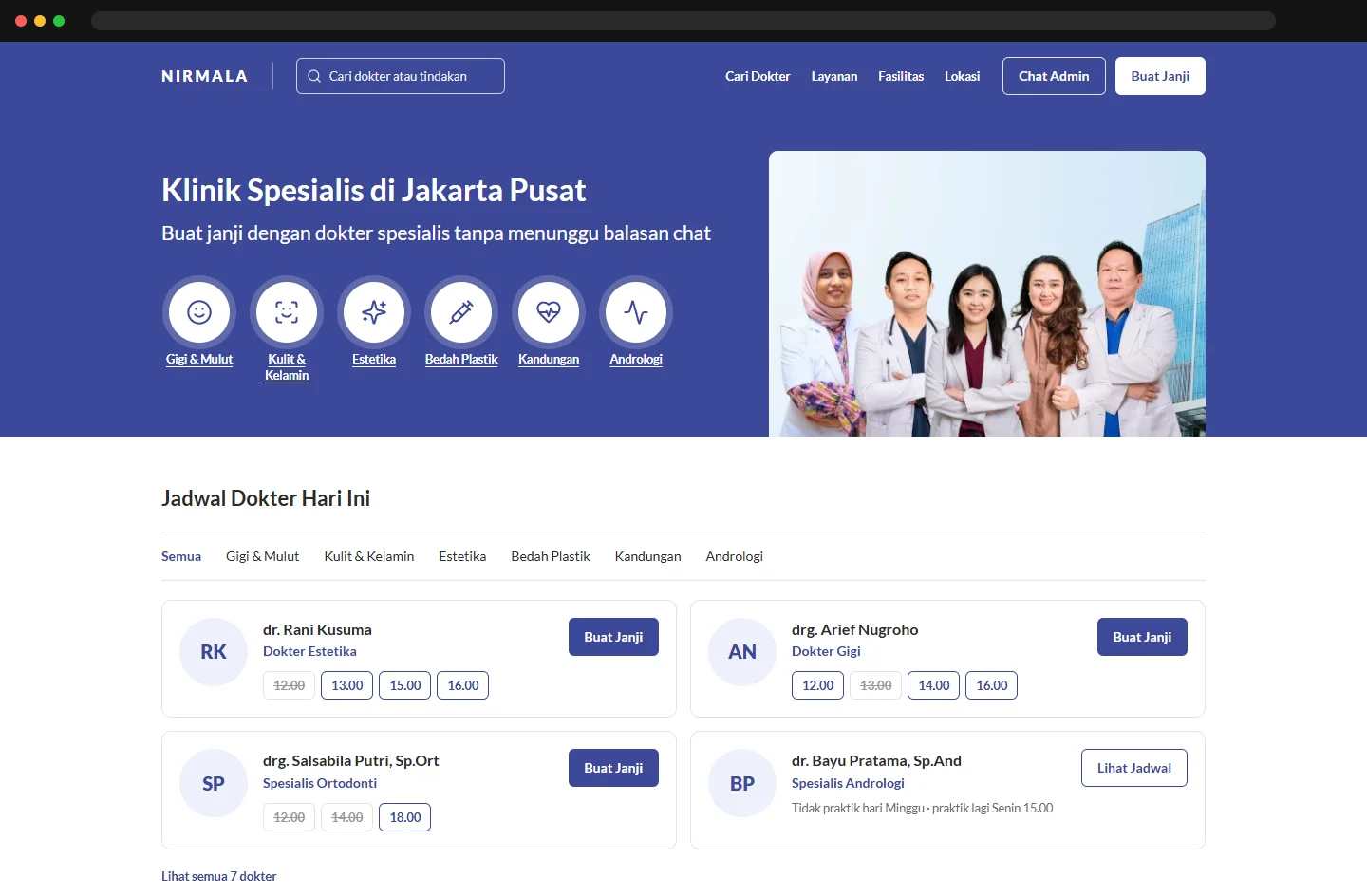
The new homepage opens with the clinic's six specialties as shortcuts next to a photo of its doctors, followed by today's doctor schedule with open and full time slots, and a list of treatments and facilities. A doctor search page filters by specialty, practice day and gender, and every doctor card shows experience, practice days and the next free slots.
Booking happens on one page: the chosen doctor, a week strip where days without practice are disabled, open hours, and patient details, with a summary that stays in view. Complaints written in the form are visible to the treating doctor only, and patients are called by booking number. For the front desk, appointment cards are grouped into patients who have arrived and those that need follow-up, each with its status and direct actions such as call in, mark no-show, send a reminder, or send a booking link to a WhatsApp chat. The planned production stack is Next.js with Supabase.
03Key Features
- Specialty shortcuts and today's doctor schedule on the homepage
- Open and full time slots shown on every doctor card
- Doctor search filtered by specialty, day and gender
- One-page booking with days without practice disabled
- Private complaint field and booking-number calling
- Front-desk appointment cards grouped by arrived and follow-up
- Quick actions: call in, no-show, reminder, booking link from chat